
Nail Your Studio Setup
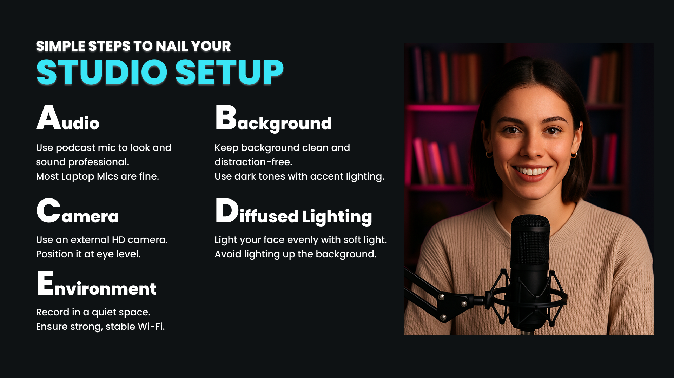
A practical checklist to dial in mic, camera, framing, lighting, background, and environment.
Lesson notes
You do not need a complex studio to create professional-looking videos. Focus on five essentials. Get these right, and everything else becomes optional.
A. Audio
Use a podcast microphone to look and sound more professional. Most laptop microphones are fine to start with, but an external mic gives you more consistent quality.
Low-End
- Clip-on lavalier microphone that sits close to your voice
- Clear, natural sound without a desk-mounted mic
- Ideal for talking-head videos and simple setups
Mid-Range
- USB condenser microphone with multiple pickup patterns
- Works well for solo recordings or interviews
- Simple to set up and adjust
High-End
- Studio-quality dynamic microphone
- Rich, clear, broadcast-ready sound
- Requires a preamp or Cloudlifter but delivers excellent audio quality
B. Background
Keep your background clean and distraction-free. Darker tones with a little accent lighting usually look more intentional on camera.
Low-End
Minimalist room
- Neutral wall or neatly organized bookshelf
- Add a few functional props such as plants or a small lamp
- Great for simple, professional-looking videos on a budget
Mid-Range
Fabric backdrop or pop-up backdrop (~$20-$50)
- Wrinkle-resistant muslin or collapsible screen
- Provides a consistent, flexible background for different video styles
- Useful if you want more control over color and texture
High-End
- Retractable, uniform green screen
- Pops up quickly for professional video production and editing
C. Camera
Use an external HD camera when possible, and position it at eye level.
Low-End
- 1080p resolution with autofocus
- Natural color and simple monitor or tripod mounting
- Great for beginners or budget-conscious creators
Mid-Range
- 1080p at 60fps for smoother motion
- Auto-zoom and customizable software settings
- Ideal for sharper, more professional-looking videos
High-End
- 4K video with excellent low-light performance
- Vari-angle screen for flexible framing
- Requires a capture card for webcam use but produces professional-grade video
D. Diffused Lighting
Light your face evenly with soft light. Avoid over-lighting the background.
Low-End
Neewer 10-Inch Ring Light (~$30)
- Soft, even lighting for face-on videos
- Easy to set up and adjust for beginners
Mid-Range
UBeesize Ring Light Kit (~$30)
- Adjustable brightness with tripod included
- Easy option for improving consistency in your shot
High-End
- Compact LED panel with built-in diffuser
- Provides consistent, professional-quality lighting
E. Environment
Record in a quiet space and make sure your connection is stable.
- Choose a quiet room with minimal echo
- Use a strong, stable internet connection
- Make sure your computer can handle HD or 4K video editing
Final Advice
Start simple. Prioritize audio first, then lighting, then camera. Upgrade one category at a time as your content grows.
A clean setup, clear sound, and soft lighting will outperform expensive gear used poorly. With consistency and small improvements, any home space can become a reliable video studio.