All guidesUnable to Detect Computer Speakers
Unable to Detect Computer Speakers
Switch output devices and verify browser support for speaker detection.
Zync is unable to detect my other speakers in the "Get ready for your meeting" window
Our app is unable to detect other speakers on your computer. Here are a few troubleshooting tips.
- This feature is only available in Chrome and Edge.
- If you are on a browser where this feature is not available, please switch your default system speaker.
- macOS: https://support.apple.com/guide/mac-help/change-the-sound-output-settings-mchlp2256/12.0/mac/12.0
Windows
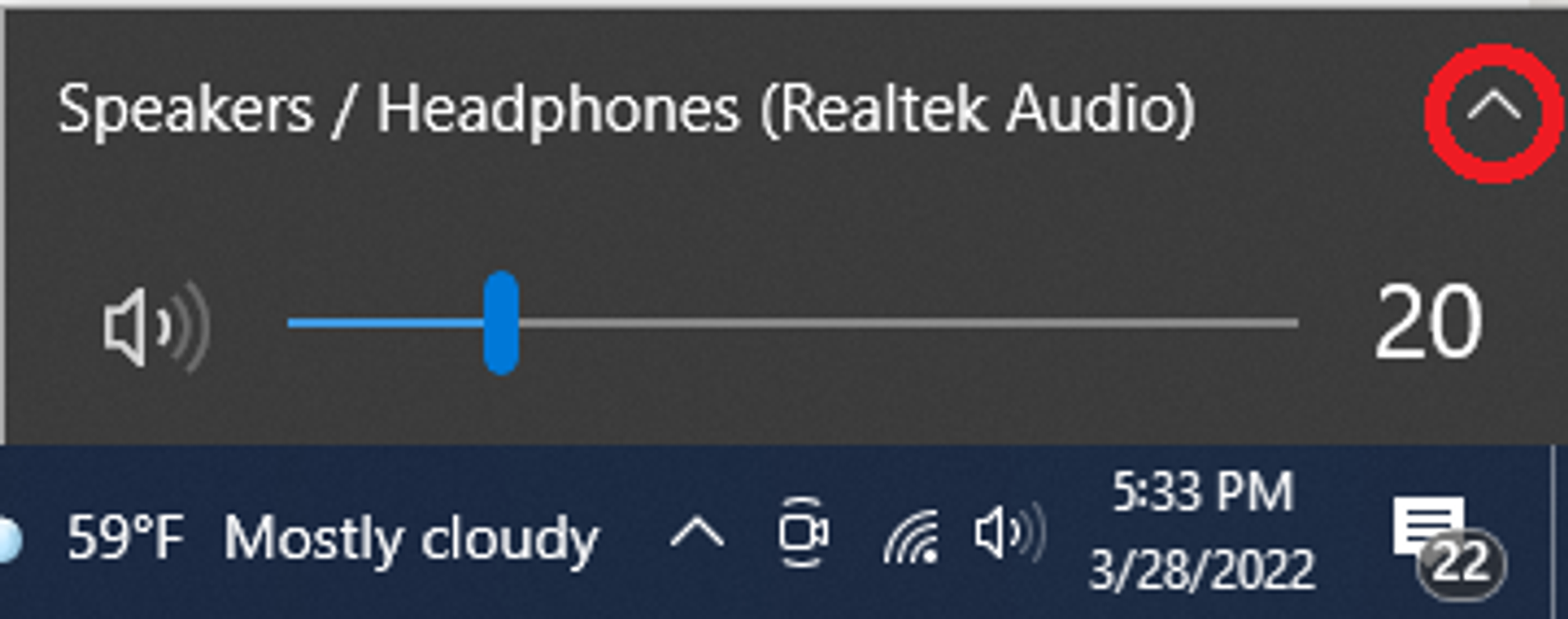
- Click the "Sound" icon on the right of your taskbar.
- To see the list of available devices, click the "^" button.
- Choose the device you want to use.